> ## Documentation Index
> Fetch the complete documentation index at: https://docs.flowx.ai/llms.txt
> Use this file to discover all available pages before exploring further.
# AI node types
> Understanding the different AI node types available in Agent Builder for building AI workflows.
**Preview**
Agent Builder is currently in preview and may change before general availability.
Agent Builder provides AI nodes organized into categories based on the type of content they process. Combine these nodes to create sophisticated workflows.
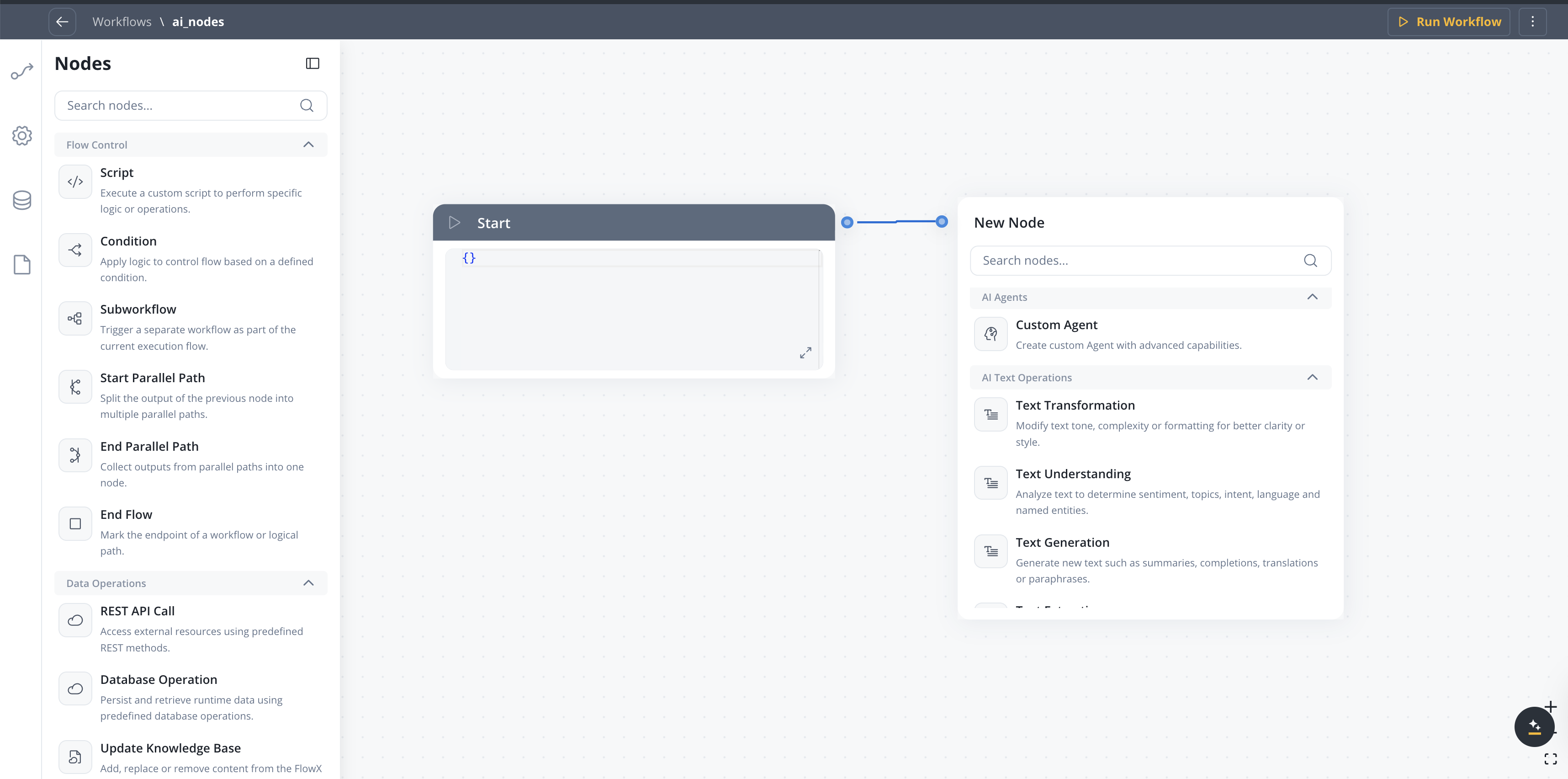
## Node categories
Process and analyze text content
Work with documents and files
Analyze visual content
Transform and enrich data
Additionally, the **Custom Agent**, **Context Retrieval**, **Intent Classification**, and **Speech to Text** nodes provide specialized capabilities.
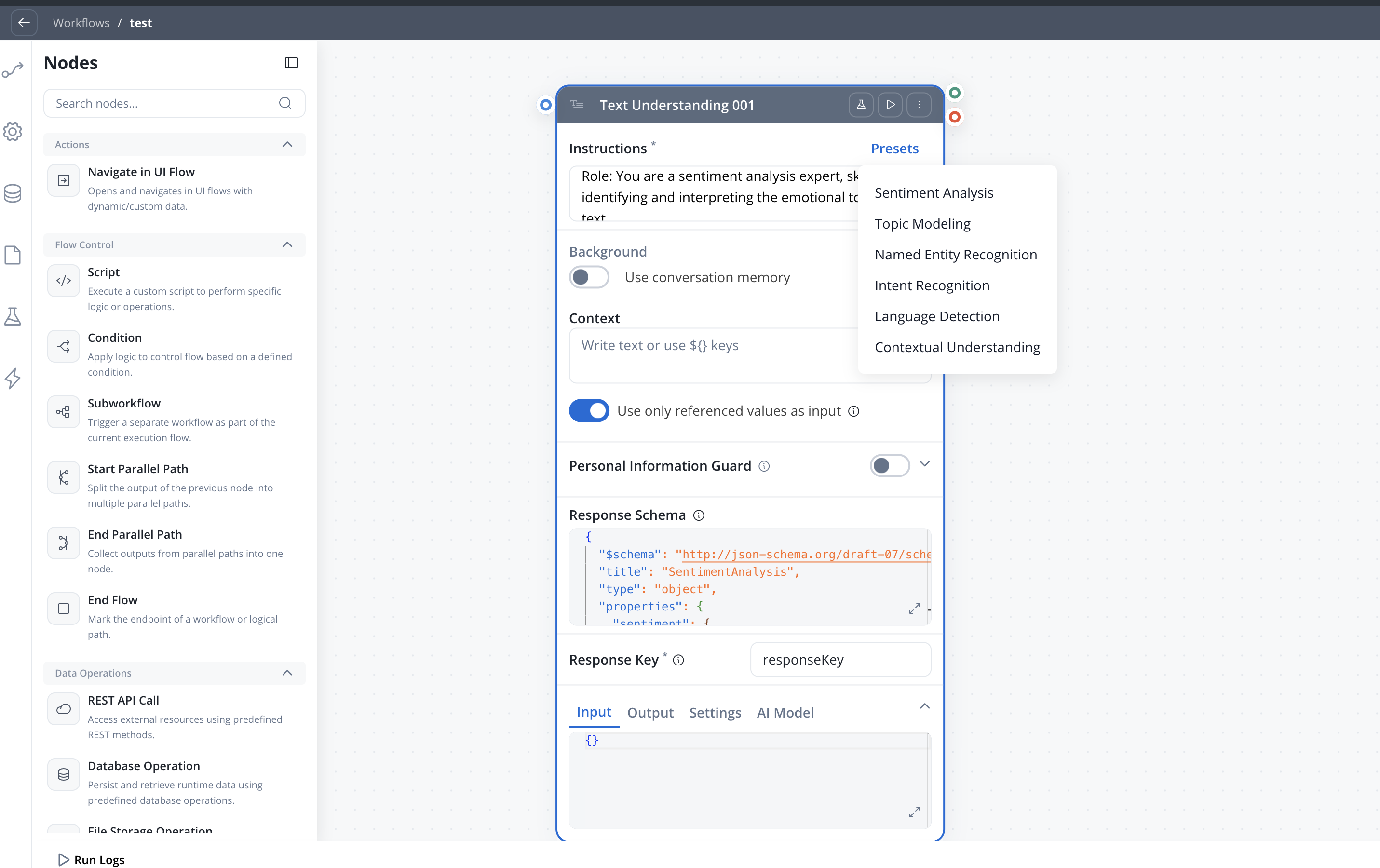
**Presets.** The text, document, image, and data operation nodes each come with **presets** — ready-made instruction templates for common tasks. Selecting a preset prefills the node's **Instructions** field (and, where useful, an example response schema), which you can then edit. The presets available depend on the node type — for example, **Document Understanding** offers Content Summarization, Key Information Extraction, Topic Analysis, and Sentiment Analysis, and **Document Extraction** offers Metadata Generation, Named Entity Recognition, and Table Extraction.
***
## Intent Classification
Classify user messages and automatically route the workflow to the matching branch — combining AI classification and conditional branching in a single node.
| Node type | Description | Use cases |
| ------------------------- | -------------------------------------------------------------------------------- | ------------------------------------------------------------ |
| **Intent Classification** | Classifies a user message into defined intents and routes to the matching branch | Chatbot routing, email triage, support ticket classification |
### Configuration options
* **User message** — Input text to classify (supports `${}` references)
* **Intents** — Up to 10 natural language intent descriptions, each becoming an output branch
* **Use conversation memory** — Include conversation history for context-aware classification
* **Include Reason for Selection** — Add LLM explanation for the chosen intent
* **Fallback branch** — Automatic "If No Intent Matches" path
Learn more about configuring intents, output format, and routing behavior
***
## Context Retrieval
Perform RAG (Retrieval-Augmented Generation) searches against a Knowledge Base and return relevant chunks — without calling an LLM.
| Node type | Description | Use cases |
| --------------------- | -------------------------------------------------------------------------- | ------------------------------------------------------------------------- |
| **Context Retrieval** | Queries a Knowledge Base and returns matching chunks with relevance scores | RAG pipelines, document search, context gathering for downstream AI nodes |
### Configuration options
* **Source** — Knowledge Base or Memory (Memory only available in chat-driven workflows)
* **Knowledge Base** — Select which Knowledge Base to query (when source is Knowledge Base)
* **User Query** — the search query, supports process variable expressions
* **Search type** — Hybrid (default), Semantic, or Keywords
* **Max Number of Chunks** — how many chunks to return (1-10)
* **Min Relevance Score** — minimum relevance threshold (0-100%)
* **Metadata Filters** — structured filters with typed operators and AND/OR grouping to refine results by chunk metadata
* **Use advance metadata filters** — toggle for expression-based filtering
* **Use Re-rank** — re-rank retrieved chunks before returning
### Output format
The node outputs an array of retrieved chunks, each containing:
| Field | Description |
| ---------------- | ----------------------------------------------------------------------------------------------------------------------------------------- |
| `chunkContent` | The text content of the retrieved chunk |
| `chunkMetadata` | Metadata associated with the chunk |
| `relevanceScore` | Similarity score between the query and the chunk |
| `searchType` | Search strategy that returned this chunk: `HYBRID`, `SEMANTIC`, or `KEYWORD`. Only emitted when the RAG service returns a non-null value. |
| `contentSource` | The store the chunk belongs to (field name preserved for API compatibility) |
Learn more about configuring Context Retrieval nodes
***
## Custom Agent
Create custom agents with advanced capabilities powered by Model Context Protocol (MCP) tools, optional Knowledge Base retrieval, and direct chat reply in Chat Driven workflows.
| Node type | Description | Use cases |
| ----------------------- | -------------------------------- | --------------------------------- |
| **Text generation** | Create text content from prompts | Reports, summaries, responses |
| **Summarization** | Condense long content | Document summaries, meeting notes |
| **Translation** | Convert between languages | Multi-language support |
| **Document completion** | Fill in templates | Form letters, contracts |
### Configuration options
* **Instructions** *(mandatory)* — The agent's role, tasks, and expected input/output. Sent as the System message and **cached** by the LLM between executions, so `${variable}` references are not allowed in this field.
* **Background → Use conversation memory** — Include conversation history in the LLM call (Chat Driven workflows only)
* **Background → Knowledge Base** — Attach one or more knowledge bases for RAG retrieval; includes Search Type (vector / keyword / hybrid) and Re-rank options. When several knowledge bases are attached, the agent searches all of them, with one retriever per knowledge base (available starting with 5.9.2).
* **Background → Enable agentic knowledge base search** — When ON (available once a Knowledge Base is selected), the agent runs an agentic retrieval flow instead of a single fixed search. Adds **Filtering options** — **Manual** or **Agentic** (Agentic lets the agent build the metadata filter at runtime) — a per-knowledge-base Search Type / Number of Chunks / Min Relevance Score / Re-rank block, **Metadata Filters**, and **Additional controls → Settings** with **Max attempts** (default 1) and **Subqueries per attempt** (default 3). Off by default. (SaaS · 5.11)
* **Background → Context** — Free-text field for the per-execution prompt; supports `${variable}` references. Sent as the User message and not cached.
* **Background → Use only referenced values as input** — Send only values referenced in the prompt to the LLM; narrows context and reduces token usage
* **Tools → MCP Servers** — Attach MCP tools the agent can call
* **Tools → Built-in tools → Use Web Search Tool** — Toggle **ON** to let the agent look up recent information from the public web. Off by default.
* **Tools → Built-in tools → Use built-in tools** — Toggle **ON** to give the agent deterministic helper tools for exact math, value comparison, list sorting, and list filtering, so these operations run as code instead of relying on the model. Off by default. (SaaS · 5.10)
* **Tools → Workflow tools** — Attach FlowX workflows the agent can call as tools. For each workflow, add a **When should the agent use this workflow?** hint (max 2,000 characters) that tells the agent what the workflow does. The workflow's input parameters become the tool's arguments; a workflow with no input parameters is not eligible. Up to 10 workflow tools per agent. (SaaS · 5.11)
* **Personal Information Guard** — Toggle PII redaction on the node's input and/or output (see [Personal Information Guard](/5.9/ai-platform/personal-information-guard))
* **Response → Send as Chat Reply** — In Chat Driven workflows, deliver the response directly to the Chat component as Markdown
* **Response → Show Reasoning** — When ON, the agent explains how it reached its answer. The chat reply is unchanged; the reasoning is added to the node's output and run logs. (SaaS · 5.11)
* **Response → Include Task for Prompt Suggestions** — In Chat Driven workflows, generate AI follow-up prompts shown in the Chat component after the response
* **Response Key** — Key where the node output is stored in the workflow data
* **Response Schema** — Expected JSON structure of the LLM response (hidden when Send as Chat Reply is ON). Supports `${variable}` placeholders resolved at runtime against workflow data, with substituted values coerced to the schema-declared types (SaaS · 5.10).
**Web Search.** When **Use Web Search Tool** is on, the agent can look up up-to-date information from the public web and use it in its response. There are no extra settings to configure — the agent decides when to search based on its instructions and the user's request. The toggle is off by default.
**Generate prompt and response schema.** Open the AI Developer assistant from the Custom Agent node header, describe what you want the node to do, and it generates the Instructions prompt, the Context prompt, and — with **Also generate response schema** enabled — the Response Schema, then applies them to the node. Use it to create a configuration from a description, or to refine an existing prompt or schema. (SaaS · 5.11)
Full reference for Use conversation memory, Send as Chat Reply, Prompt Suggestions, and other Chat Driven specifics
***
## Speech to Text
Transcribe audio to text within integration workflows.
| Node type | Description | Use cases |
| ------------------ | -------------------------------------------------------------------------------- | ---------------------------------------------------------------------------------------------------- |
| **Speech to Text** | Transcribe audio files into text with language detection and confidence metadata | Voice message processing, audio transcription, accessibility, chat-driven workflows with voice input |
### Configuration options
* **File Source** — Document Plugin, S3, or Chat Input (chat-driven workflows)
* **File Path** — Path to the audio file (supports `${}` references); becomes a test-file dropdown when **Use Test File** is on
* **Use Test File** — Upload a sample audio file for development testing
* **Response Key** — Key under which the transcript and metadata are stored
Learn more about configuring transcription and chat voice integration
***
## Understanding nodes
Understanding nodes analyze content to extract meaning and intent.
| Node type | Description | Use cases |
| ---------------------------- | ---------------------------------- | --------------------------------- |
| **Sentiment analysis** | Detect emotional tone | Customer feedback, reviews |
| **Topic modeling** | Identify themes and subjects | Document categorization |
| **Intent recognition** | Understand user goals | Chatbot routing, request handling |
| **Named entity recognition** | Find people, places, organizations | Data extraction, compliance |
### Configuration options
* **Classification labels** - Define categories for classification
* **Confidence threshold** - Minimum score for results
* **Multi-label** - Allow multiple classifications per input
***
## AI Document Operations
Process documents to extract data, generate reports, or understand content.
| Node | Description | Use cases |
| -------------------------- | --------------------------------------------------------------------------------------- | -------------------------------------------------------------------- |
| **Document Generation** | Automatically build reports or complete templates based on given inputs | Report generation, template completion |
| **Document Extraction** | Identify and extract structured data, entities or metadata from documents | Form processing, invoice data extraction |
| **Document Understanding** | Analyze documents to extract meaning, topics, sentiment, or important information | Document classification, content analysis |
| **Extract Data from File** | Extract text and data from documents and images with configurable extraction strategies | OCR, PDF text extraction, image data extraction, signature detection |
Learn more about configuring extraction strategies, image extraction, and signature detection
### Configuration options
* **Document type** - Specify expected document format
* **Schema definition** - Define expected output structure
* **Field mapping** - Map extracted fields to data model
* **Confidence threshold** - Minimum score for extractions
***
## AI Image Operations
Analyze visual content to generate captions, extract details, or identify objects.
| Node type | Description | Use cases |
| ------------------------- | ------------------------- | ------------------------------------------ |
| **Object recognition** | Identify items in images | Document classification, damage assessment |
| **Text extraction (OCR)** | Read text from images | Invoice processing, ID verification |
| **Scene understanding** | Interpret image context | Property assessment, claims processing |
| **Emotion analysis** | Detect facial expressions | Customer experience, fraud detection |
### Configuration options
* **Detection confidence** - Minimum threshold for detections
* **Region of interest** - Focus on specific image areas
* **Output format** - Structured data or annotations
***
## Structured-output validation and run diagnostics
**Available starting with FlowX.AI 5.9.2**
When an AI node has a **Response Schema**, the platform validates the LLM response against it and automatically retries with a repair prompt when validation fails. If the response still cannot be repaired, the node fails with a categorized error instead of passing malformed output downstream.
The node's **Logs** now surface richer run diagnostics: the failure category and reason, the rejected output, the model's reasoning summary (for reasoning models), and the number of schema-validation retry attempts.
***
## Combining nodes
Nodes can be connected in workflows to create complex processing pipelines:
```
Document Input → Text Extraction → Entity Recognition → Validation → Output
```
### Best practices
Begin with a single node and add complexity incrementally. Test each addition before moving on.
Add validation steps after extraction to ensure data quality before processing continues.
Include fallback paths for when nodes fail or return low-confidence results.
Track execution times and accuracy metrics to identify bottlenecks and improvement opportunities.
## Related resources
Get started with Agent Builder
See real-world examples
Multi-turn chat with Custom Agent node changes for chat replies and memory
## Related topics
- [AI patterns](/5.9/ai-platform/patterns/overview.md)
- [AI comparison and reconciliation](/5.9/ai-platform/patterns/ai-comparison-reconciliation.md)
- [FlowX.AI 5.10.0 Release Notes](/release-notes/v5.x/v5.10.0-july-2026/v5.10.0-july-2026.md)
- [Intent Classification](/5.9/ai-platform/agent-builder/intent-classification.md)
- [Tutorials](/5.9/ai-platform/tutorials/overview.md)