

Conflict Resolution: When multiple conditions overlap, the latest condition (evaluated from top-to-bottom) takes priority.
Configuring conditional styling
- Open the UI Designer.
- Select a Text, Link, or Container element.
- Navigate to the Styles tab.
- Locate the Conditional Styling section.
- Click the ➕ icon to add new expressions and effects.
- Use the JS Editor to configure and test your expressions for accurate behavior.
Conditional styling properties
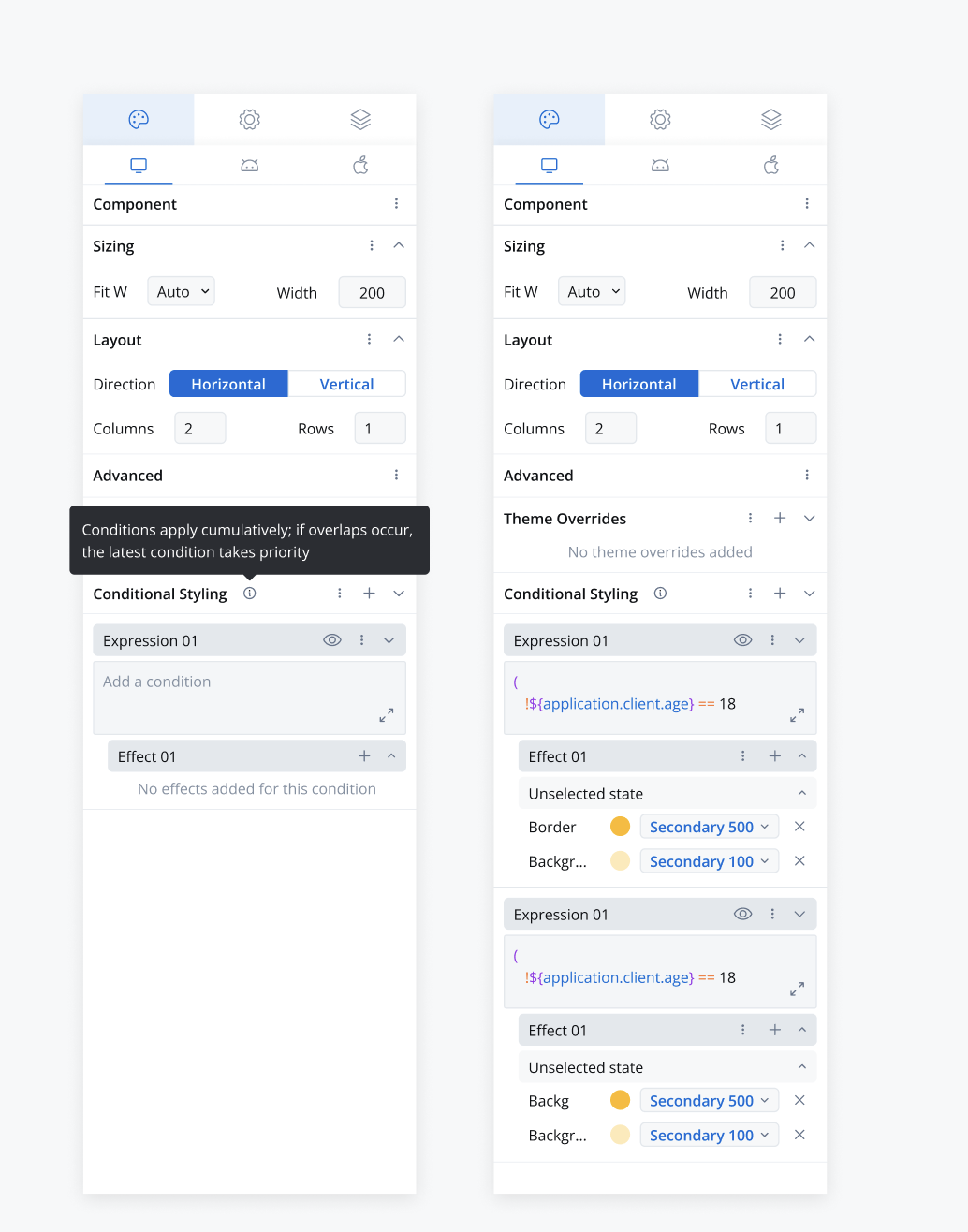
Availability: Conditional styling is available for Text, Link, and Container UI elements.
Structure of conditional styling
-
Condition:
- A string expression evaluated similarly to hide/disable expressions.
- Supports referencing process data store keys for dynamic evaluations.
-
Overrides:
- A key-value map defining specific property-value pairs.
- Overrides are applied based on the evaluated condition.
Example:
Renderer behavior
- Real-Time Evaluation: Conditions are continuously evaluated based on live data updates.
- Priority Handling: If multiple conditions are met, the last condition in the sequence takes precedence.
- Dynamic Application: Styles are applied instantly upon condition satisfaction, enhancing UI responsiveness.
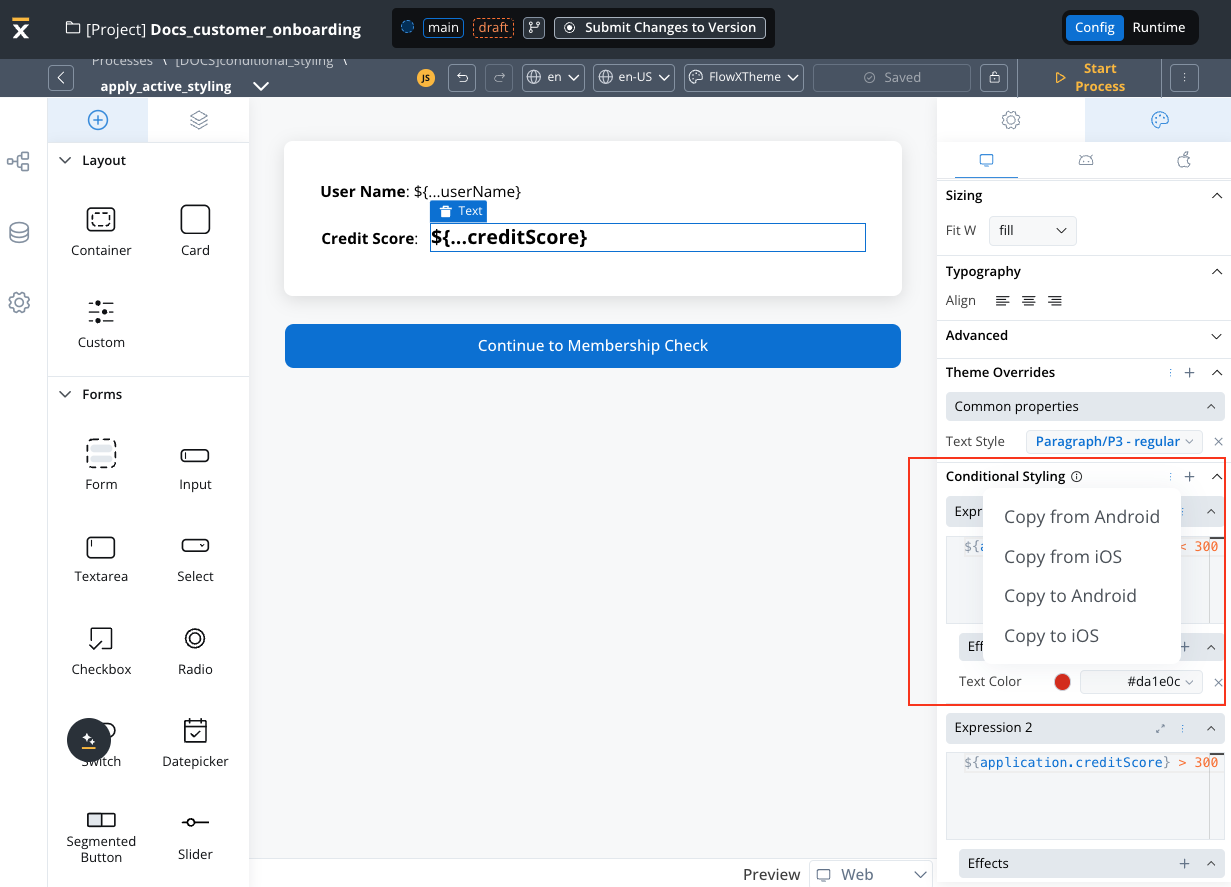
Contextual menu options
- Conditional Styling Section: Copy To/From Platforms to reuse conditions across different environments.
- Expression + Effect Section: Copy To/From Platforms and Delete options for efficient management.
Key notes
- Dynamic Styling: Facilitates platform-specific style overrides driven by real-time data conditions.
- Scalability: Designed to support iterative and scalable UI implementations.
- Enhanced Usability: Simplifies user interaction with intuitive UI/UX components, making style management more accessible and efficient.