


Configuring a message throw intermediate event
A Message Throw Intermediate Event sends a message that can be correlated with a catch event—either a Message Catch Intermediate Event in a running process or a Message Start Event to initiate a new process instance. The event creates a connection between the sending and receiving components, allowing information or instructions to be transmitted. Once the message is thrown, the process continues its flow.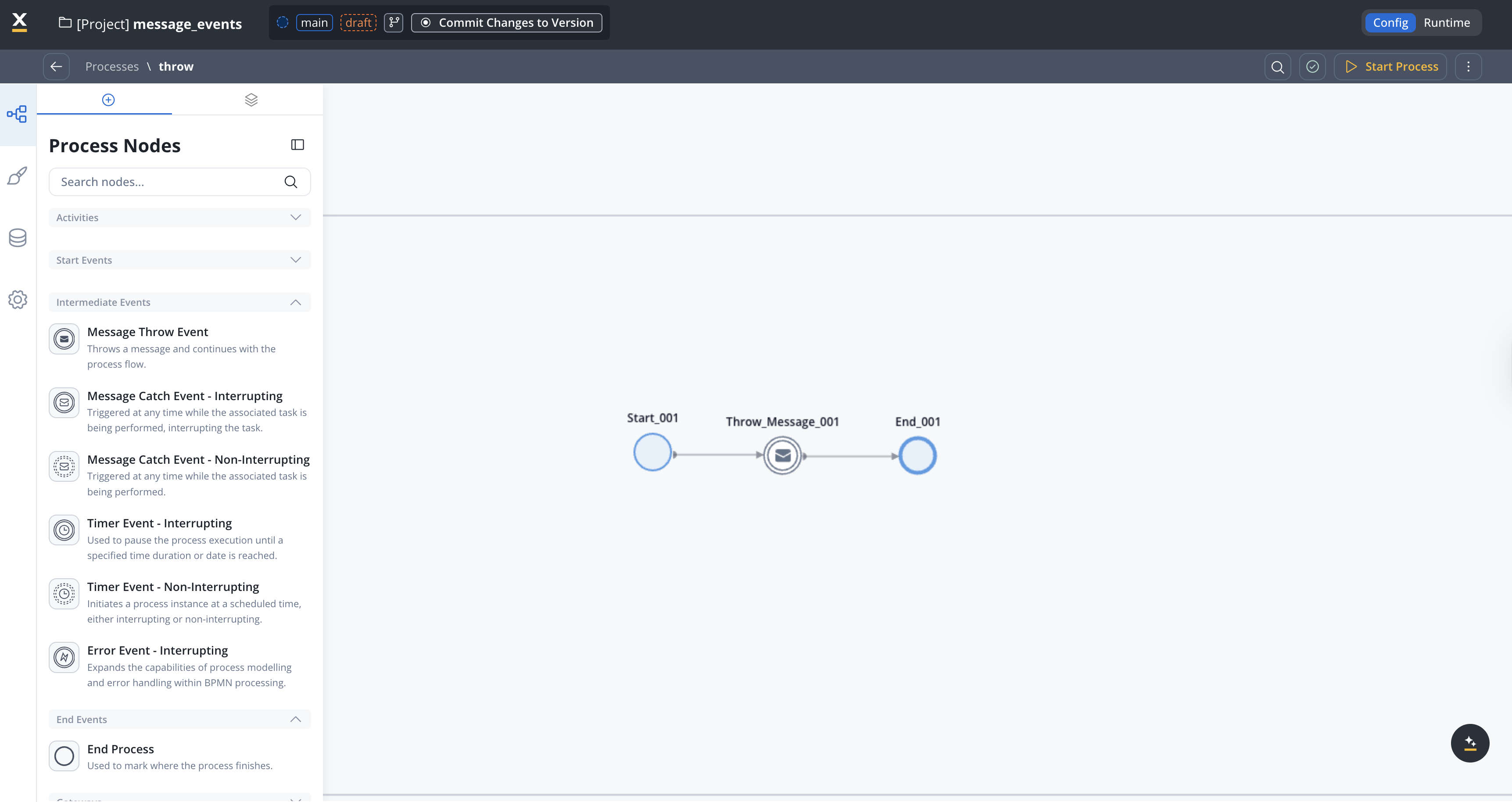
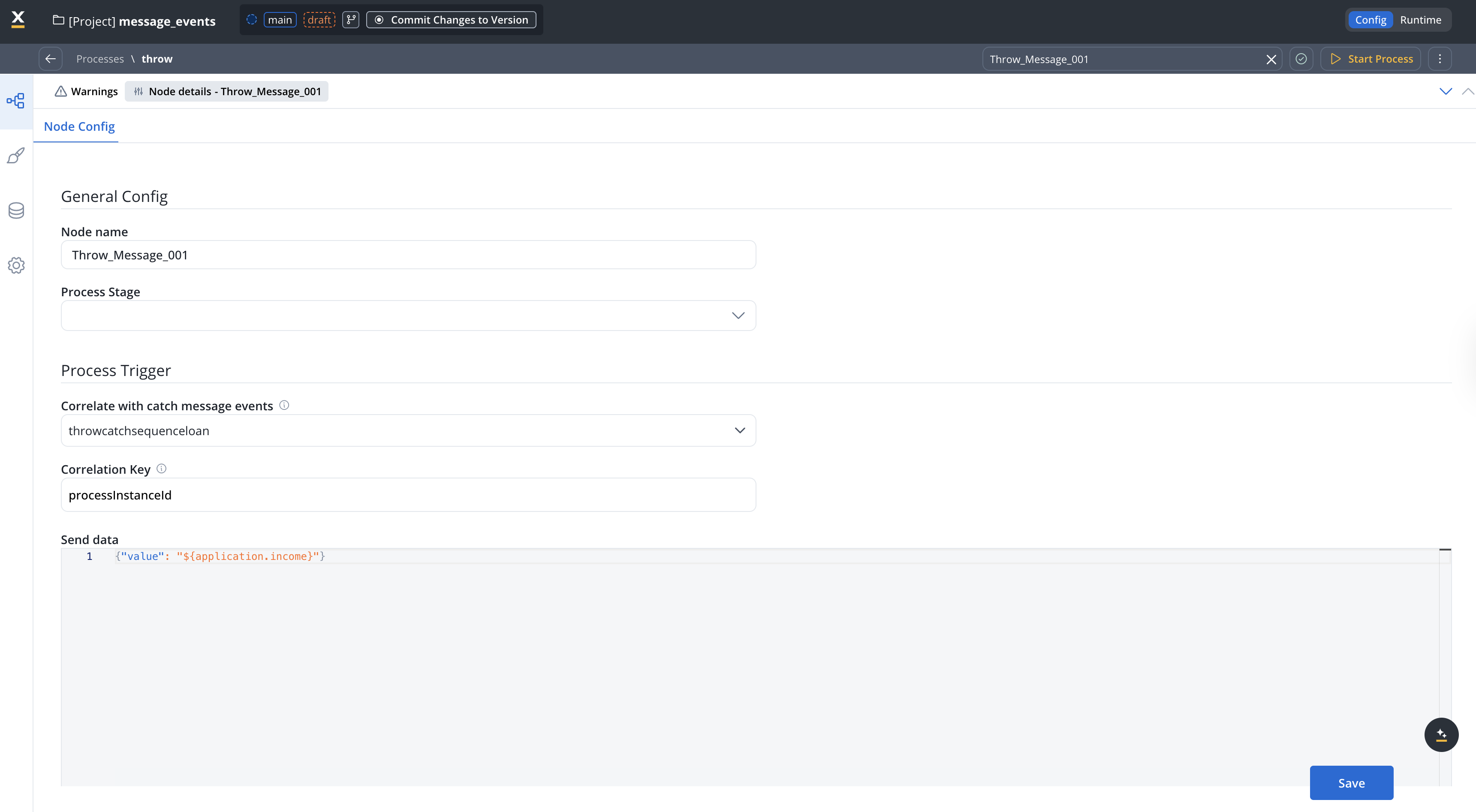
General config
dropdown
required
Select the catch message event that this throw event should communicate with. The dropdown contains all catch messages from the process definitions accessible to the user.
Define the message for the catch event first. This ensures its availability in the dropdown menu when configuring the throw intermediate event.
string
required
A business or process variable that uniquely identifies the instance to which the message is sent. The engine extracts the value of this key at runtime and uses it to find a matching catch event listener.Common correlation key examples:
processInstanceId— to correlate within the same processparentProcessInstanceId— to communicate between a parent and subprocess, or between sibling subprocesses that share the same parent- Custom business keys like
orderId,applicationId, etc.
object
Define a JSON structure with the data to be sent along with the message. You can use dynamic values from the process data using the
${} syntax.Example:dropdown
Assign a stage to the node if needed. Stages help organize and track process progress.
Use cases
Correlating with a running process instance
Use the Message Throw Intermediate Event to send data to a Message Catch Intermediate Event that is waiting in another part of the same process or in a different running process instance.Both the throw and catch events must have matching:
- Message name (selected in Correlate with catch message events / Correlate with throwing message events)
- Correlation key value at runtime
Starting a new process instance
Use the Message Throw Intermediate Event to trigger a Message Start Event and start a new process instance. In this case, no correlation key is needed on the catch side since a new process instance is always created.Related documentation
Message Catch Intermediate Event
Learn how to configure catch events that receive messages from throw events.
Message Start Event
Trigger new process instances using messages from throw events.
Intermediate Message Events Examples
Complete examples showing throw and catch event configurations.