

After upgrading to a new platform version, always ensure that your installed component versions match the versions specified in the release notes. To verify this, navigate to FlowX.AI Designer > Platform Status.
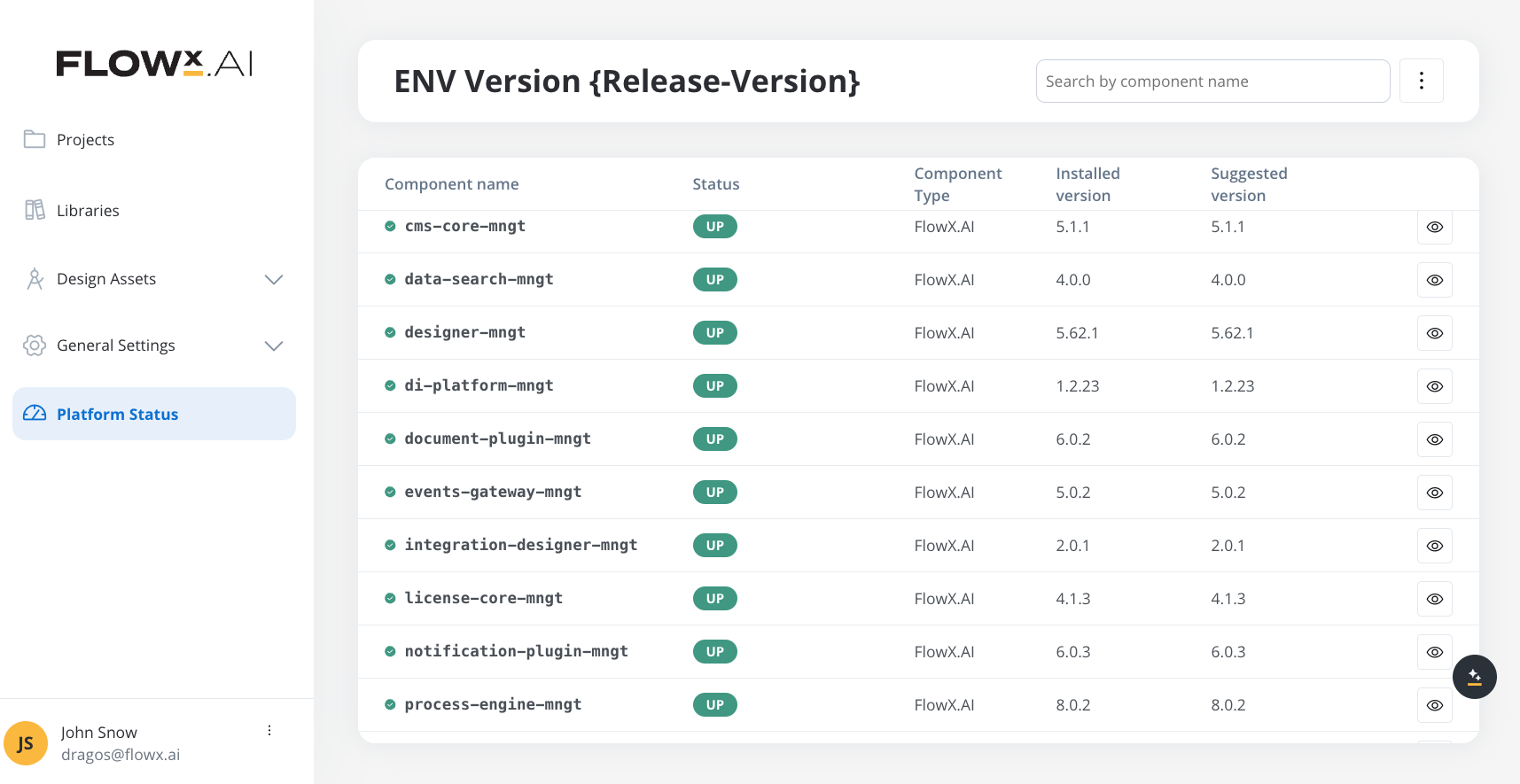
Component versions
Embedded components
- SpiceDB
- DGraph
Renderers
Plugins
AI Platform
Third-party supported component versions
New in v5.3.0
Key features and updates
UI Flows
Build multi-platform applications with reusable UI components across web, iOS, and Android
UI Events
Real-time user interaction handling with event-driven UI components
Workflow Data Models
Workflow-level data models with input/output parameters and process-to-workflow data mapping
Mobile Accessibility
WCAG 2.1 accessibility compliance extended to iOS and Android platforms
Custom Component Enhancements
Standardized custom component integration across all platforms
SaaS Capabilities
Multi-tenant SaaS capabilities with organization management
Upgrading from v5.2.0
Breaking changes
Complete migration guide
See the detailed migration guide with step-by-step instructions, configuration examples, and troubleshooting
Key changes
- UI Flows: New feature for building multi-platform reusable UI components
- Workflow Data Models: Enhanced integration between processes and workflows with structured data models
- Mobile Accessibility: iOS and Android renderers now support WCAG 2.1 accessibility standards
- Configuration Structure: Breaking change in FlowX Engine partitioning/archiving configuration (see preceding section)
Environment variables updates
For detailed information on environment variable changes, see the Update environment variables section.
Compatibility
- Breaking Changes: FlowX Engine partitioning/archiving configuration structure has changed (action required if using partitioning)
- Feature Additions: UI Flows, UI Events, and Workflow Data Models are new features with no breaking changes
- Renderer Updates: Web and mobile SDKs include new features with backward compatibility
- Database: No schema changes required for this upgrade
Support
For technical support, deployment assistance, or feature questions, please contact your FlowX.AI support representative.
Support channels
- Technical issues: Contact your FlowX.AI support representative
- Feature questions: Reach out through your designated support channel
- Documentation: Report documentation issues or suggestions